Consistent characters in Midjourney means creating images in which the same character remains recognisable as the scene, pose or outfit changes. Use the Edit Model in V8.1 and V8.2, Omni Reference in V7, or Character Reference in V6 and Niji 6. Check the model version before copying parameters from a tutorial.[1], [2]
This tutorial takes you from choosing a reference image to planning a short series with one character. The main walkthrough uses V8.2. Separate examples for older versions follow below.
Sources checked on 3 October 2026. The walkthrough prompts and exercises are original suggestions for your own experiments. The gallery contains supplied V6 and V7 artwork with prompts from the image metadata.
Character Reference, Omni Reference or Edit Model?
| Version | Tool | Discord parameter |
|---|---|---|
| V8.1 and V8.2 | Edit Model | --edit IMAGE_URL |
| V7 | Omni Reference | --oref IMAGE_URL |
| V6 and Niji 6 | Character Reference | --cref IMAGE_URL |
This table follows the official documentation for each feature. IMAGE_URL is a placeholder: replace it with the URL of your own reference image.[3], [4], [2]
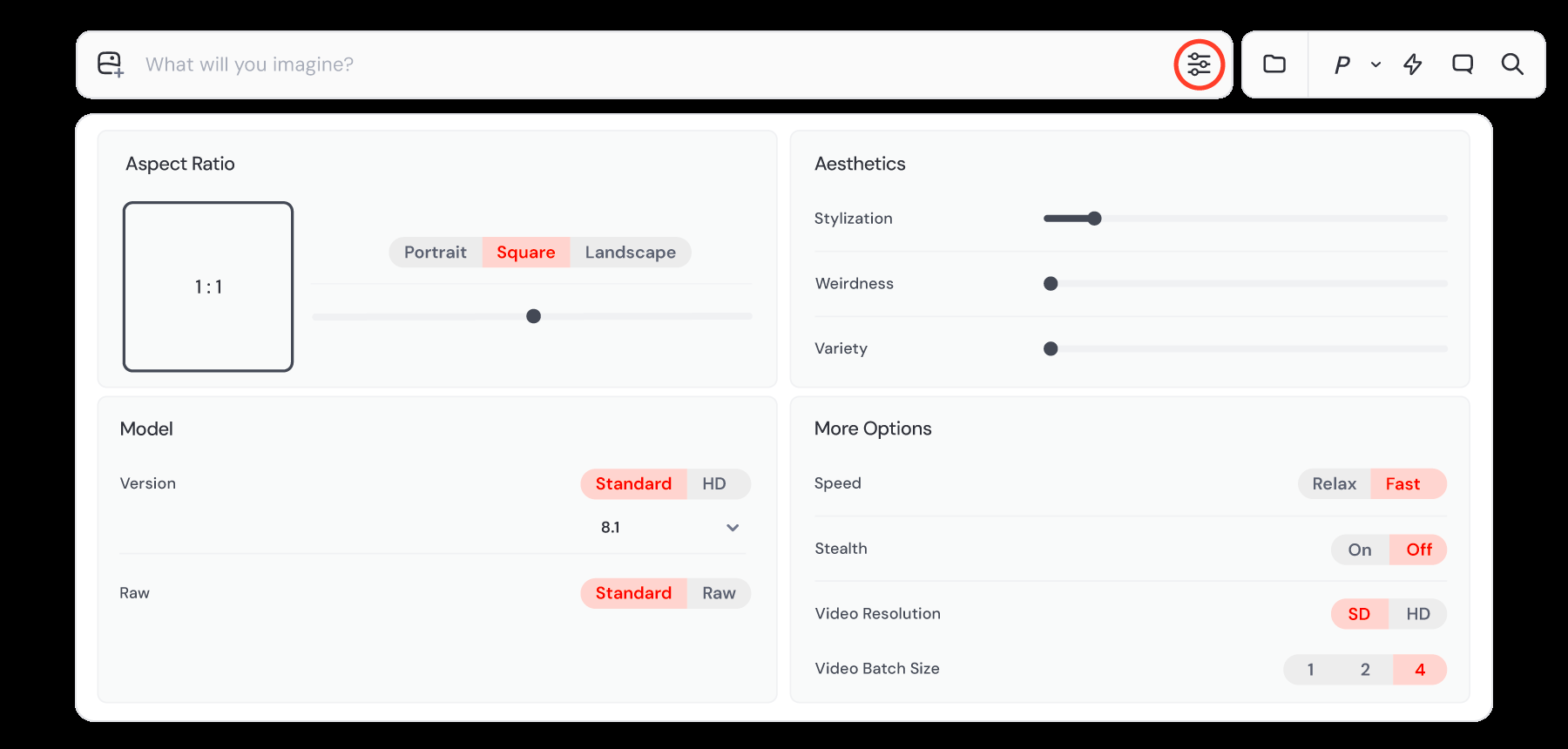
V8.2 is currently the default version. Adding --cref to a V8.2 prompt will not activate the older Character Reference feature.[1]
1. Choose a reference and define your character
Start with one character and one image. For this exercise, I suggest a clear portrait with the whole face visible, a simple background and lighting that reveals the features. This makes it easier to judge whether the character has changed or is simply lit differently.
Do not choose a reference solely because it looks impressive. To recognise the same person in later scenes, first decide which features make them recognisable.
Write a short character sheet. Our example character has an oval face, a short copper bob and round glasses. Her green jacket belongs to the initial outfit and can change later. If your reference shows a different character, adapt the example prompts to describe their appearance.
- Fixed features: facial features, hairstyle and glasses.
- Variable elements: outfit, setting, gesture, emotion and lighting.
- Series style: begin with one approach, such as photography with soft light.
This is a suggested way to organise your project, not a Midjourney requirement. If the story calls for a new hairstyle or no glasses, adjust the sheet so that you can still assess the face.
2. Consistent characters in V8.2: website walkthrough
- Select V8.2. Choose it in the settings beside the prompt bar, or add
--v 8.2to your prompt.[1] - Attach your reference. Upload the image and place it in Attach to prompt. The Edit Model supports up to four reference images; I suggest starting with one.[5]
- Pin the image. The lock icon keeps it attached for subsequent prompts. You can also open an image from your gallery using Quick Edit.[3]
- Describe one scene change. For this exercise, move the character to a train platform. Keep her appearance and outfit so you can assess one change at a time.
- Compare the result with the reference. Check the face, hairline, glasses and proportions before moving on to the next scene.
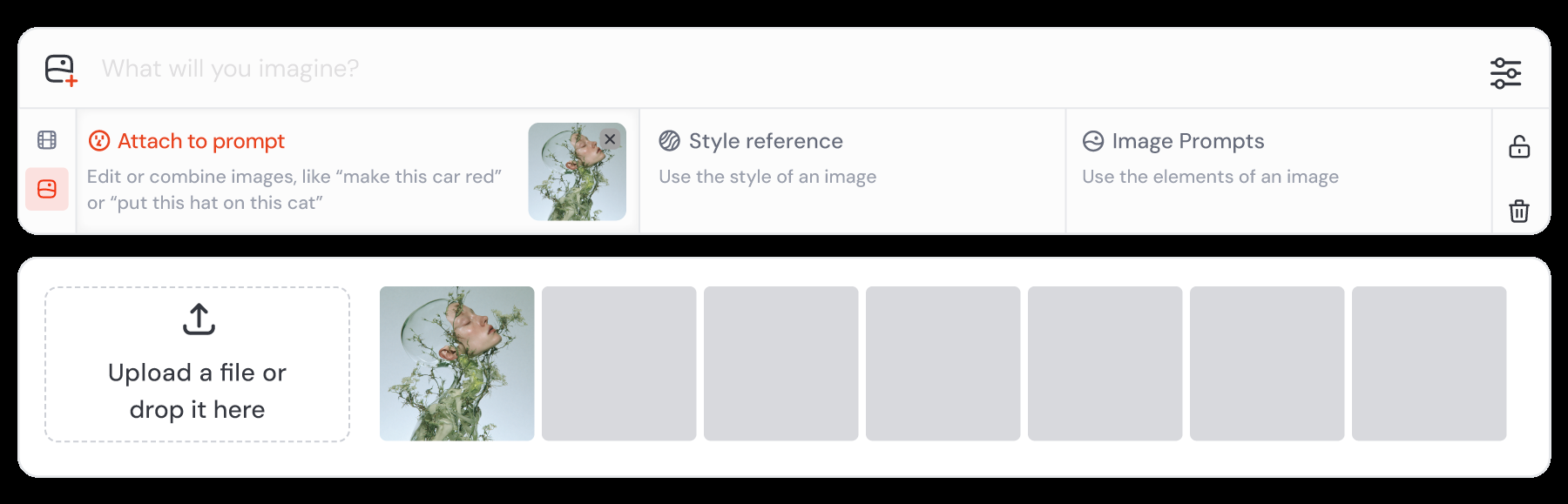

After attaching the image, try this prompt:
Show this same woman waiting on a rainy train platform. Keep her facial features, short copper bob and round glasses. She is wearing the same green jacket. Medium shot, soft overcast light. --v 8.2 --raw
The instruction changes the setting while specifying which features to keep. --raw reduces Midjourney's default aesthetic interpretation; it does not guarantee an identical face.[6]
I suggest starting each new scene from the original reference. You can then assess every result against the same image, rather than treating a small change from the previous generation as a new character feature.
3. Practise three scenes with the same character
The first attempt changed the location. Next, test a different pose, then a different outfit. Attach the same original reference each time.
Scene two: a new pose and a closer view
Show this same woman sitting at a cafe table, looking slightly to the left. Keep her facial features, short copper bob, round glasses and green jacket. Close-up, soft window light. --v 8.2 --raw
Allow for the viewing angle when judging the face. A profile and a front view look different even in photographs of the same person. Can you still recognise your character?
Scene three: a different outfit
Show this same woman standing in a bookshop. Replace her green jacket with a navy wool coat. Keep her facial features, short copper bob and round glasses. Medium shot, soft indoor light. --v 8.2 --raw
This prompt specifies both the change and the features to preserve. If the result misses the mark, revise one instruction first. Adding more adjectives makes it harder to see which change helped.
Finally, place the reference and your three results side by side. Record whether the face is recognisable, the hairstyle and glasses match, and the outfit follows the prompt. Use the same checklist throughout the series. This is your assessment of the project, not an automated similarity score.
How to use the Edit Model in Discord
In Discord, add --edit followed by the image URL. Here is the first scene again:[5]
Show this same woman waiting on a rainy train platform. Keep her facial features, short copper bob, round glasses and green jacket. Medium shot, soft overcast light. --v 8.2 --raw --edit IMAGE_URL
Replace IMAGE_URL with a valid URL for an image hosted online. A local path such as C:\images\character.webp will not work as an image URL.[3]
Omni Reference in V7: --oref and --ow
In V7, place one image in Omni Reference, or use --oref. The --ow parameter controls reference influence: its range is 1–1000 and its default is 100. The documentation generally recommends staying below 400.[4]
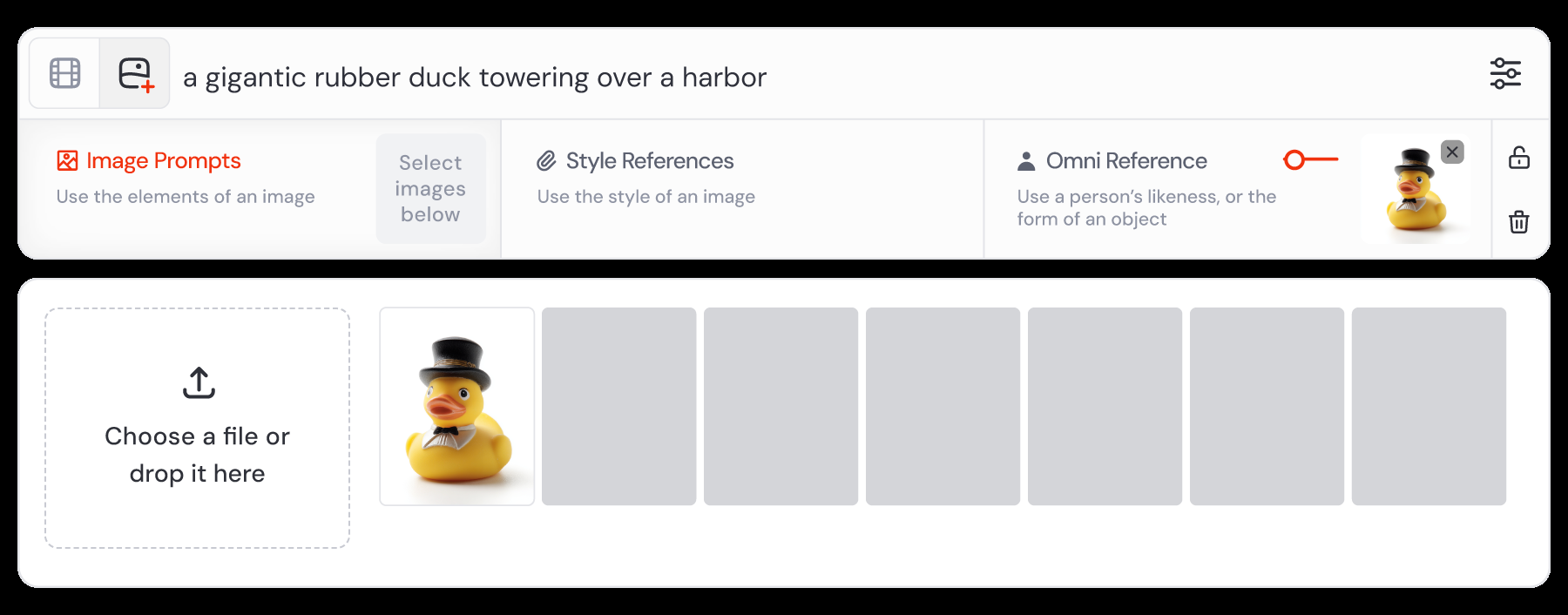
A woman with a short copper bob and round glasses waiting on a rainy train platform, green jacket, medium shot, soft overcast light --v 7 --oref IMAGE_URL --ow 100
I suggest comparing the default with one higher value, such as 200, while keeping the scene description unchanged. Find a useful setting for this reference rather than looking for a number that solves every problem.
Character Reference in V6 and Niji 6: --cref and --cw
Character Reference works in V6 and Niji 6. Use --cref in Discord and adjust character detail with --cw. The default and maximum is 100; a lower value narrows the reference towards the face.[2]
A woman with a short copper bob and round glasses in a bookshop, navy wool coat, medium shot --v 6 --cref IMAGE_URL --cw 100
For Niji 6, replace --v 6 with --niji 6.[1]
If the reference outfit makes a new outfit difficult to introduce, try lowering --cw. Compare the results rather than assuming a higher value always makes a better series.
Example: one character, different prompts and styles
These three supplied artworks show different interpretations of one character. The last two prompts use the same reference image URL: --oref in V7 and --cref in V6. The first prompt contains neither parameter.
The model version, description, aspect ratio and Personalization profiles vary. This is an example of developing a character creatively. Assess resemblance by comparing facial features, short fair hair and head shape, separately from clothing, lighting and painterly texture.
Artwork: New Dream Wave, generated in Midjourney. Versions and prompts were read from the PNG metadata. Original prompt spelling is preserved below.
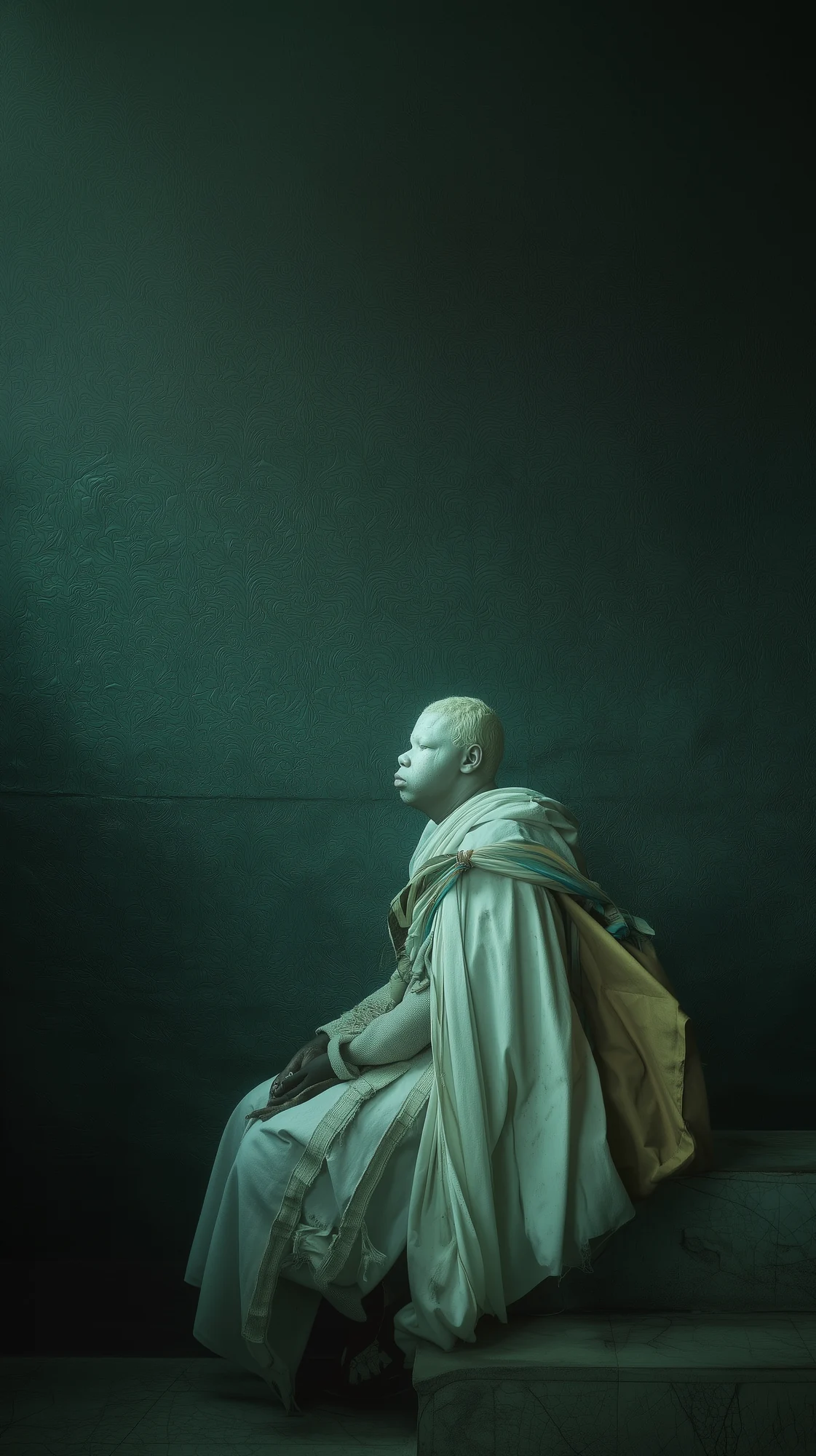
Original prompt and settings
a king watching at his land --chaos 20 --ar 51:91 --raw --profile ifrilp7 4rdghq9 --stylize 50 --v 7
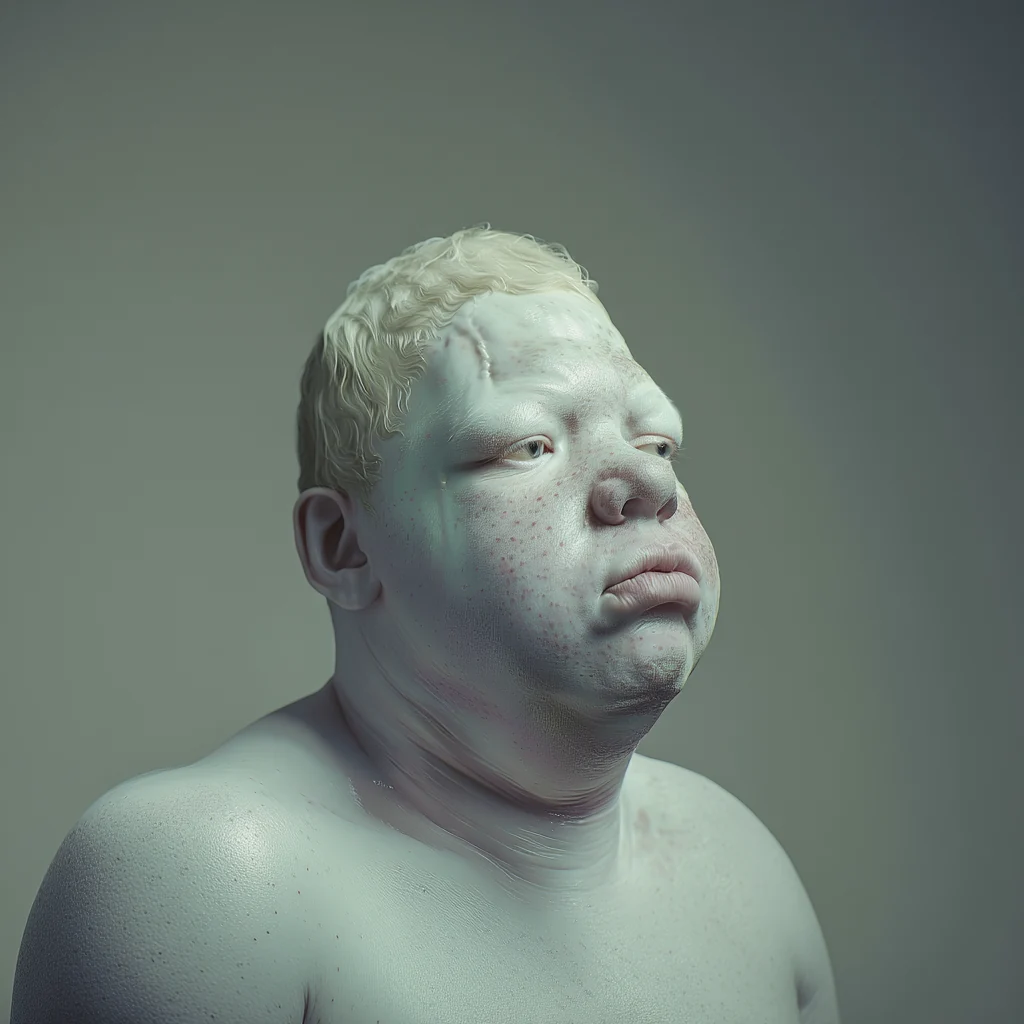
--oref added and a different aspect ratio. Facial features and skin texture are easier to inspect.Original prompt and settings
a king watching at his land --chaos 20 --raw --profile ifrilp7 4rdghq9 --oref https://s.mj.run/Y_8L7GMynyw --stylize 50 --v 7
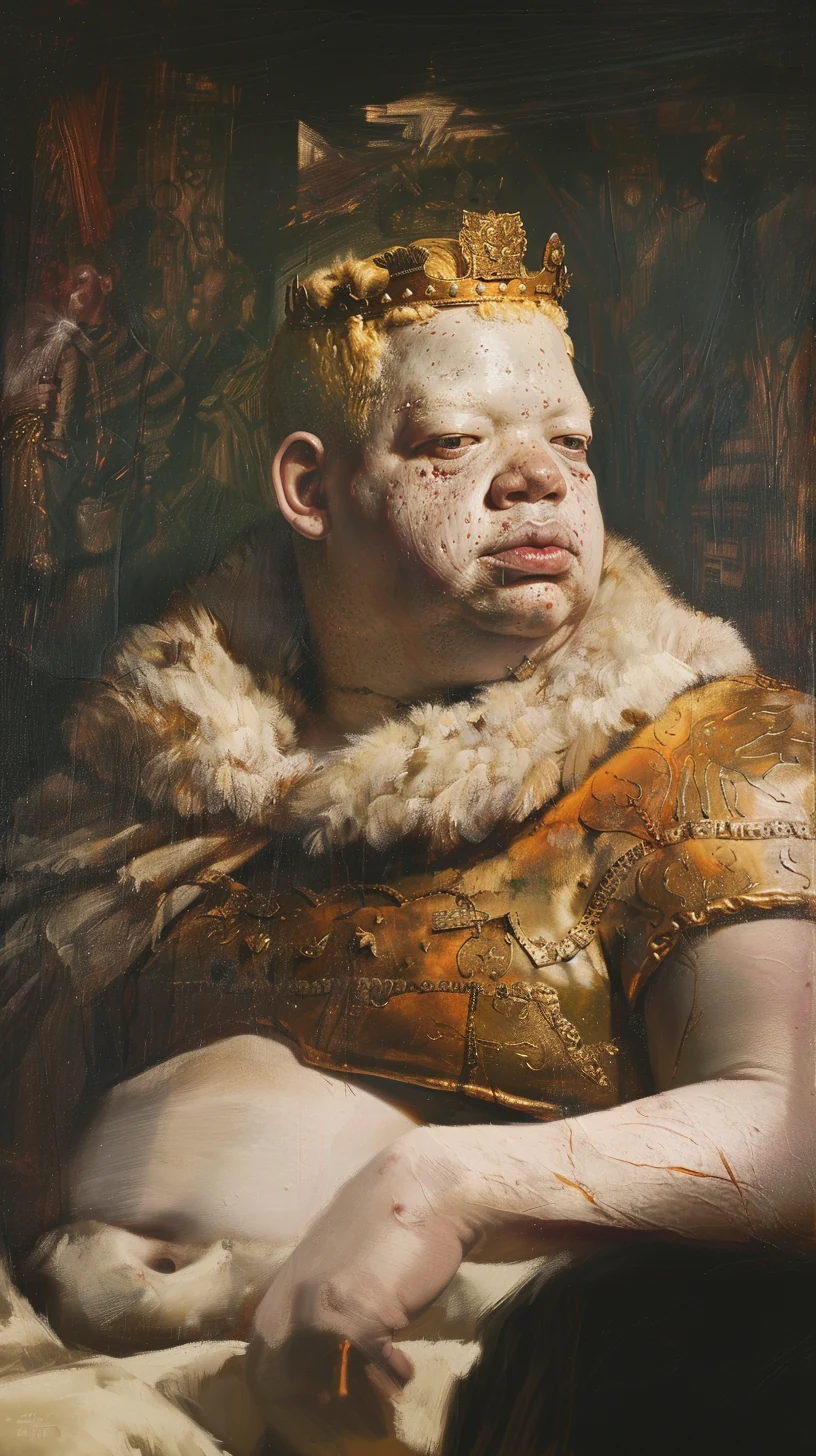
--cw 30. A king wearing a gold crown, armour and fur. A shorter prompt and a different profile accompany the shift towards a painterly style.Original prompt and settings
king --chaos 20 --ar 51:91 --raw --profile y7ef29q --cref https://s.mj.run/Y_8L7GMynyw --cw 30 --stylize 50 --v 6
The painterly portrait uses --cw 30, an actual example of a value below the default of 100. Assess which character features remain recognisable and which have been interpreted differently. A series can follow the same character without keeping identical armour or lighting.
Will --sref or the same seed preserve a character?
Style Reference guides visual style: colours, medium, textures and lighting, for example. It does not transfer a particular person. You can therefore manage character appearance and the aesthetics of your series separately.[7]
A seed controls the initial noise pattern. It helps when comparing prompt changes, but does not save a character for use in any scene. Reusing --seed does not replace a reference image.[8]
My suggested order is to establish a recognisable character in a simple scene before introducing the final style. This makes it easier to identify the stage at which a problem appears.
What to do when character consistency breaks
- The face changes between scenes. Return to the original reference, simplify the description and test one change. Do not judge identity solely by the hairstyle.
- You only need to fix part of an outfit. Use Erase in the Editor to select the area to change. Leave the face outside the selection if it needs no correction.[9]
- Two characters swap features. The Edit Model documentation suggests combining them into a single reference image when their attributes get mixed up.[3]
- Small markings differ. The Omni Reference documentation warns that details such as freckles and logos may not match exactly. Assess essential character details separately.[4]
A recognisable character can smile, turn around and change clothes. Decide which features must survive those changes, then use them to select the images that belong in your series.
Where is the official Midjourney documentation for consistent characters?
If you searched for official midjourney character reference consistent characters documentation
, start with Midjourney's own documentation. Character Reference is now covered in Legacy Features. For V7, read Omni Reference. For V8.1 and V8.2, read Edit Model.[2], [4], [3]
For more on the current models, read Midjourney V8.1 and V8.2: what changed. For help describing a scene, see the anatomy of a good prompt.
Three useful terms
- Character consistency
- Keeping the same character recognisable across images, assessed using a defined set of appearance features.
- Reference image
- An image used as a visual guide for a new scene. In this exercise, it establishes the character's appearance.
- Style Reference
- A reference for an image's aesthetics, such as colour and texture. It guides style rather than character identity.[7]
Sources: official Midjourney documentation
- Version — model selection and feature compatibility.
- Legacy Features: Character Reference — V6, Niji 6,
--crefand--cw. - Edit Model — current instructions for reference images in V8.
- Omni Reference — V7,
--oref,--owand limitations. - Edit Model for V8 — official announcement, 27 August 2026.
- Raw — how Raw affects prompt interpretation.
- Style Reference — consistent aesthetics and the role of style references.
- Seeds — uses and limitations.
- Editor — editing selected areas of an image.