Updated October 3, 2026: the generator can now create a description from an image. See how to use the new feature.
A good Midjourney prompt isn't a pile of adjectives thrown together. It's four layers, in a specific order: subject, style, lighting and composition, parameters. Here's each one on its own - plus a new, free generator that now assembles them for you.
Four layers, in this order
Subject says what is in the image. Style says what it looks like. Lighting and composition say how it's shot or painted. Parameters tell Midjourney how to work - aspect ratio, how much creative freedom, how much chaos. This order isn't arbitrary - each layer refines the one before it, so writing them in reverse makes the prompt itself harder to read and edit, even when the end result ends up similar.
1. Subject - one sentence, not a definition
A concrete image in your head, translated into 3-7 words. Not "a woman," but "an old fisherwoman mending a net." Not "a city," but "an abandoned city submerged in fog at dawn." The more literally you can see the frame before you start typing, the faster you get to a good result.
2. Style - a word, not a paragraph
One phrase, maybe two: "oil painting," "cyberpunk," "vintage film photography." You don't need to describe a style, just name it. Midjourney knows thousands of visual conventions from the name alone, so a descriptive sentence like "in a style that looks like an old oil painting with subtle canvas texture" does exactly what "oil painting" does, just slower and with more risk of the model latching onto some random word along the way.
3. Lighting and composition - cheap words, big effect
"Golden hour lighting" or "dramatic hard shadows" cost two or three words and shift the mood of an image more than a whole paragraph of description would. Same with composition: "close-up," "wide shot," "aerial view" - single phrases that immediately tell the model where to put the camera.
4. Parameters last, always last
Version note: Multi-prompts using :: apply to older models such as V6; V7 and V8 do not support them. Midjourney version comparison.
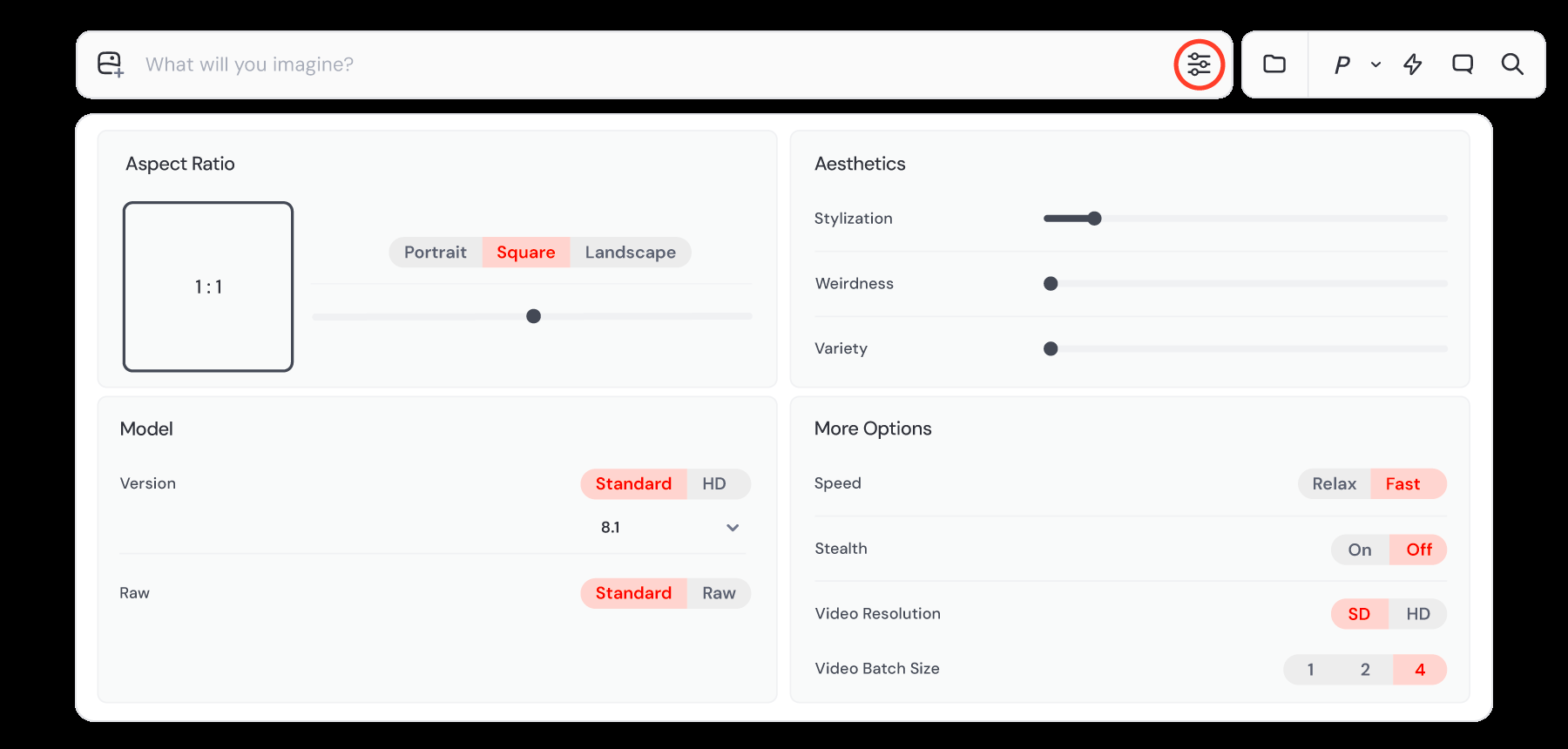
Parameters go after the description, never before it or in the middle - it's the one formatting rule here that's genuinely strict[1]. Three that actually change the result, with ranges checked against the official documentation:
- --ar - aspect ratio, width:height format, default 1:1[2].
- --stylize - range 0-1000, default 100[3]. Lower = closer to a literal description, higher = more freedom for the model.
- --chaos - range 0-100, default 0[4]. Higher = the four variants differ more from each other.
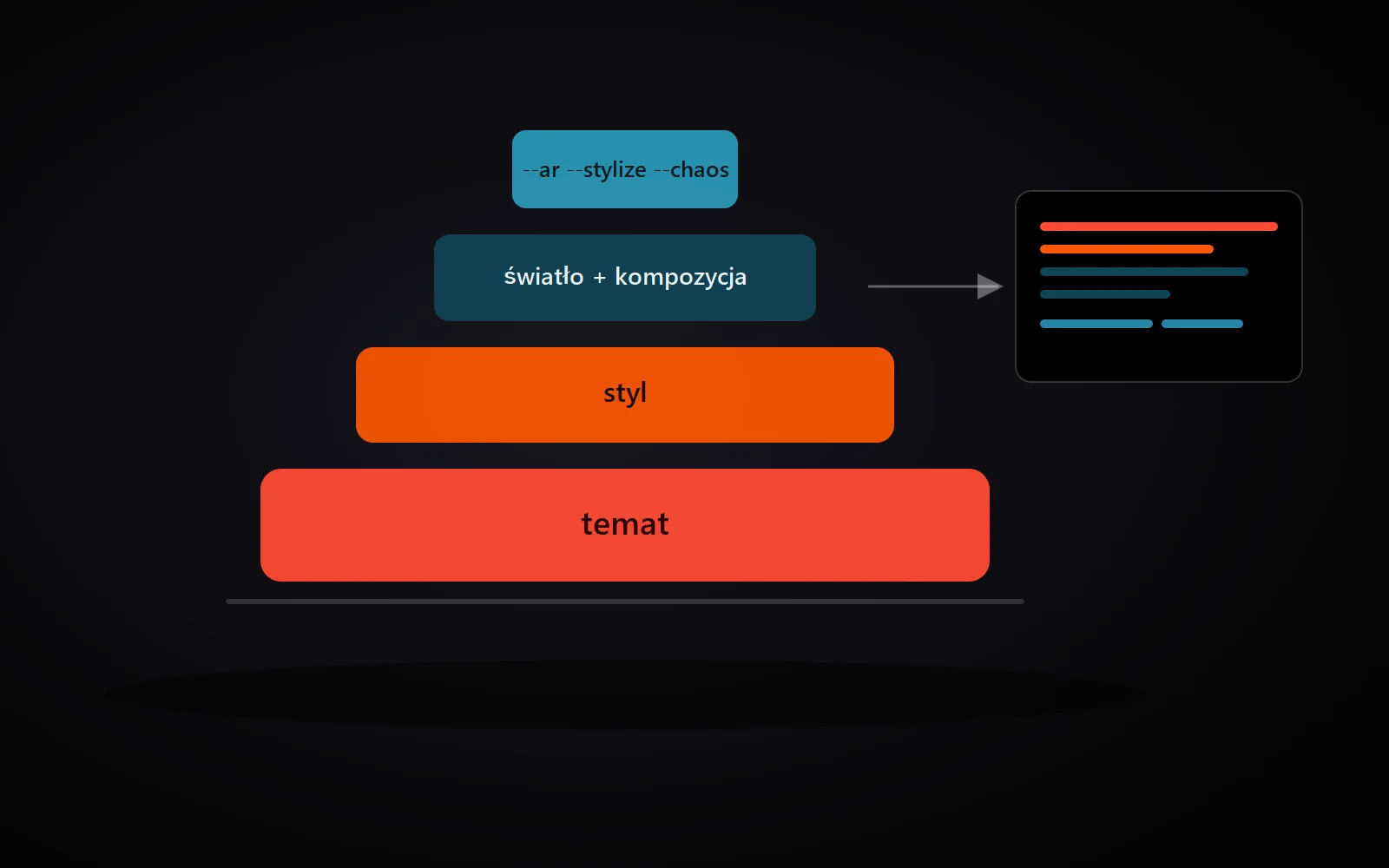
The four layers in practice - from the widest (subject) to the narrowest (parameters)
The generator does this for you
Since these four layers form a repeatable pattern, we built a prompt generator that assembles them. Type a subject, pick style, lighting and composition from a ready list, choose the parameters from dropdowns - and a finished, correctly formatted prompt appears instantly in the box next to it. One click copies it to your clipboard.
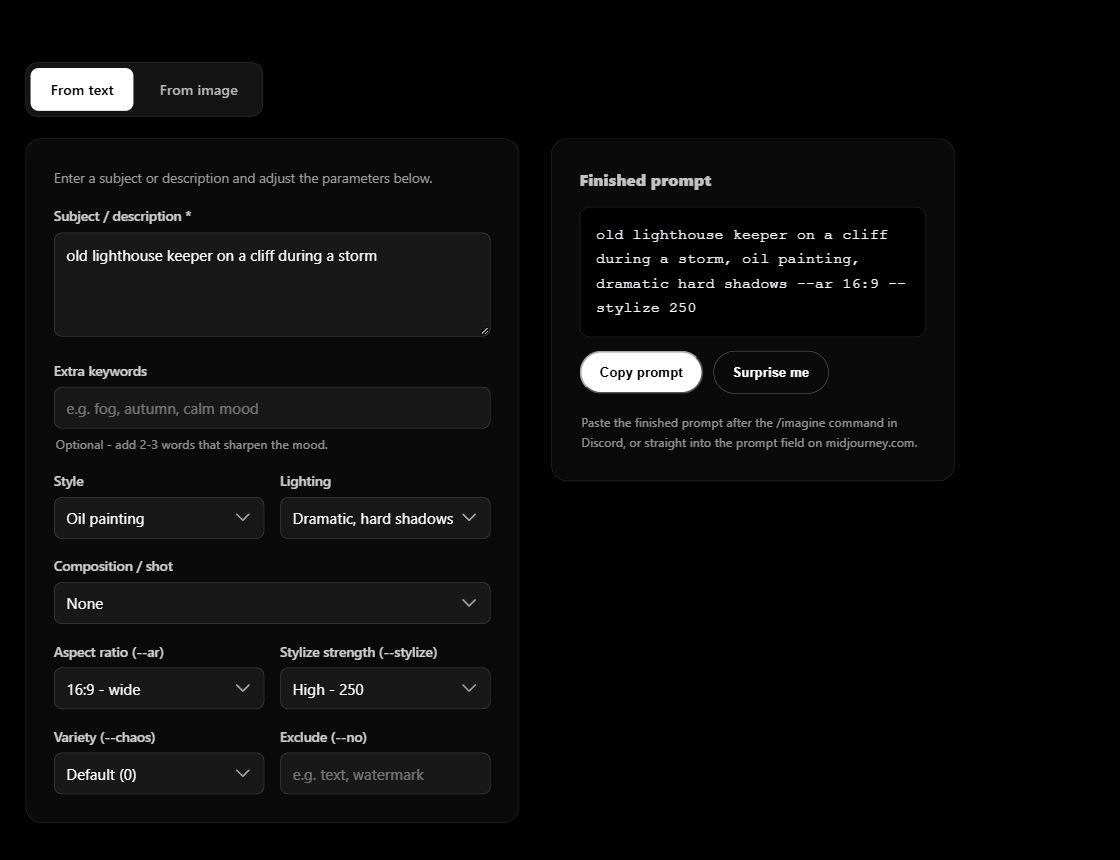
Example: subject "an old lighthouse keeper on a cliff during a storm," oil painting style, dramatic shadows, 16:9 aspect ratio, high stylize. The generator assembles this into:
old lighthouse keeper on a cliff during a storm, oil painting, dramatic hard shadows --ar 16:9 --stylize 250
The exact same four layers, in the exact same order - you just don't have to remember parameter syntax or guess where the dashes go anymore.
Update: create a prompt from an image
October 3, 2026: the generator now has a second mode — “From image”. Add a picture or photograph and AI creates an English description. Edit it, then combine it with the style, lighting and parameters in the form.
- Open the prompt generator and select “From image”.
- Drop an image, choose a file or paste an image from your clipboard in the upload area. JPG, PNG and WebP files up to 15 MB are supported.
- Choose a short or detailed description and click “Create description”. On first use, wait for the model to download.
- Review and edit the result, then click “Use description in generator”. “Use the image aspect ratio” sets --ar from the file dimensions.
- Adjust the remaining settings and copy the finished prompt into Midjourney.
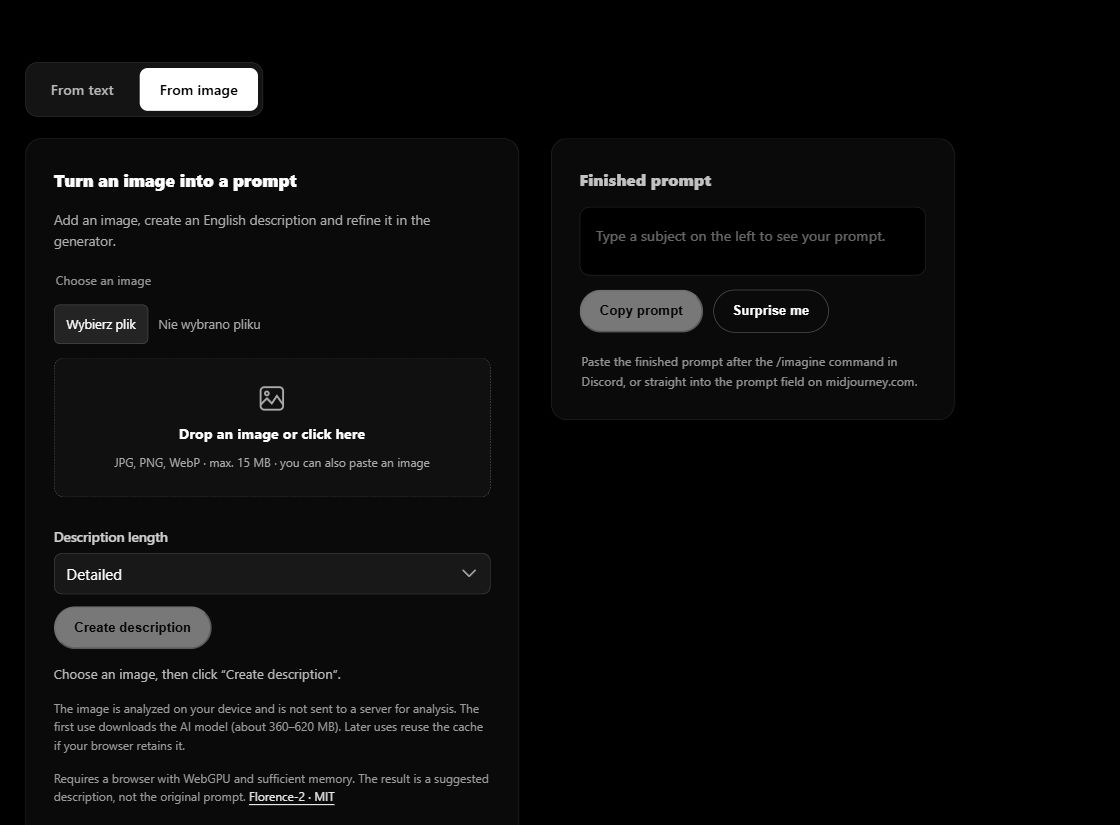
Analysis uses Florence-2, a model released under the MIT license[6]. Your image is processed locally on your device and is not sent to a server for analysis. The library and model are downloaded from the internet — about 360–620 MB on first use. Later runs may reuse your browser cache.
Before your first run: analysis needs WebGPU and sufficient memory; if it does not work, try an up-to-date Chrome or Edge on a computer. The text generator works independently of image analysis. The result is a suggested description, not a recovered original prompt. AI can misread details, so review them before use. You choose --stylize and --chaos yourself.
Frequently asked questions
Do I need to write all four layers every time?
No. The subject alone is enough to generate something. Style, lighting, composition and parameters are layers of control you add as needed, not a mandatory checklist.
What if I want precise control over which element matters more?
Don't rely on word order - that's outdated advice from years-old models. Use the explicit :: multiplier instead, e.g. lighthouse keeper::2 storm::1.
Does the generator replace learning to write prompts?
No - it's a starting point and a fast tool for repeatable work, not a substitute for understanding why a given prompt works.
Sources
- Midjourney, "Prompt Basics"
- Midjourney, Aspect Ratio parameter documentation
- Midjourney, Stylize parameter documentation
- Midjourney, Chaos/Variety parameter documentation
- Midjourney, full parameter list - the word-weight claim appears only in the archival Legacy Features section, covering retired test models
- Hugging Face, Florence-2-base-ft (ONNX / Transformers.js) — model card, MIT license and a browser inference example.